In the previous article, we defined a system as something that:
A set of components working together, where each component has a clear responsibility and they interact through well-defined flows
And we broke it down into:
Now let's take that idea and apply it to the most common system you use every day:
Opening a website
1. Let's Start With a Simple Question
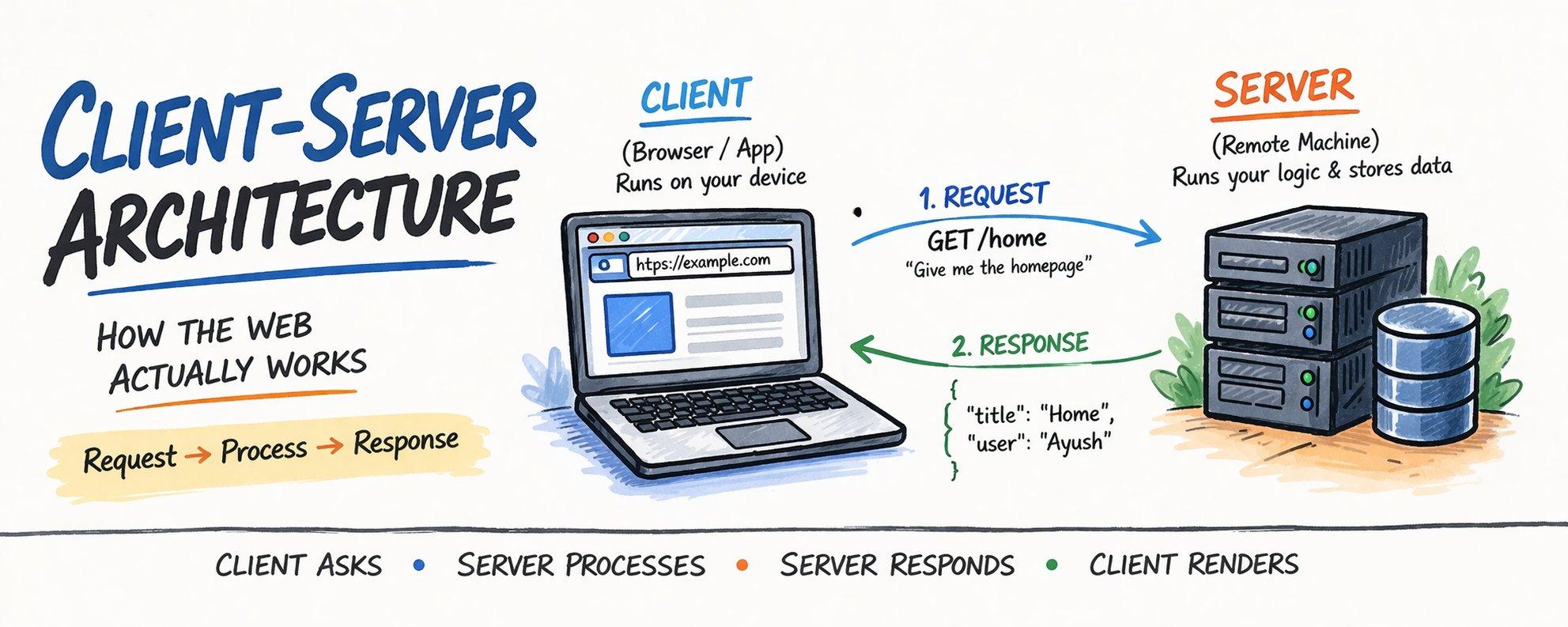
When you open a website like https://google.com where is the website actually running?
Not on your laptop.
The data, logic, and processing live somewhere else—on another machine.
So what's happening?
Your system is split into two parts that need to talk to each other.
2. The Two Core Components of This System
To make this system work, we divide responsibilities into two components:
- Client
- Server
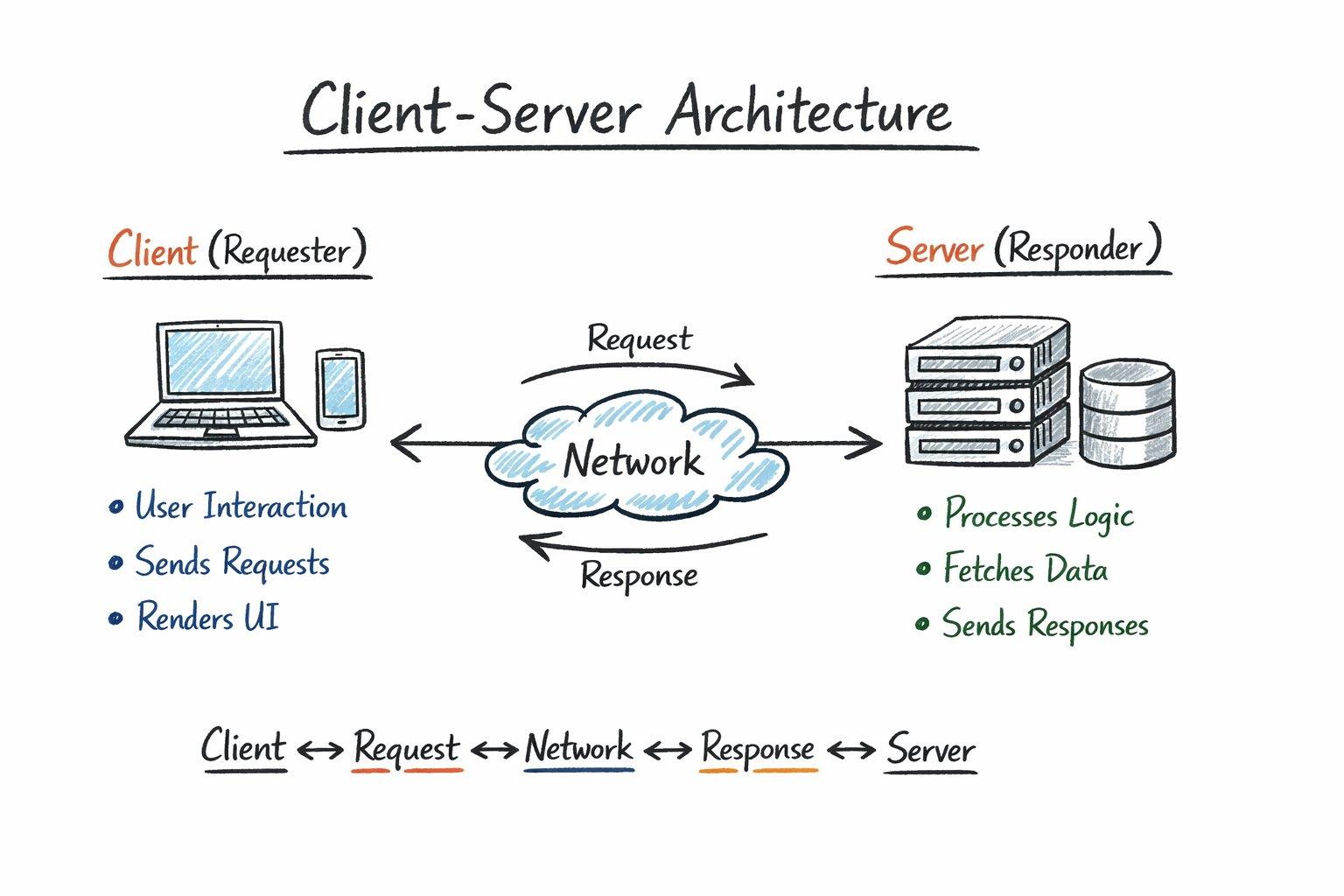
Client (The Requester)
This is the part of the system:
- Running on your device
- Directly interacting with the user
Examples:
- Browser
- Mobile app
Responsibilities:
- Capture user actions (click, type, scroll)
- Send requests
- Render responses
Server (The Processor)
This is the part:
- Running on a remote machine
- Responsible for handling requests
Responsibilities:
- Execute business logic
- Fetch/store data
- Return responses
Core Idea
The client does not know how things work internally
It only knows how to ask
3. What Actually Happens Step-by-Step
Let's walk through a real flow.
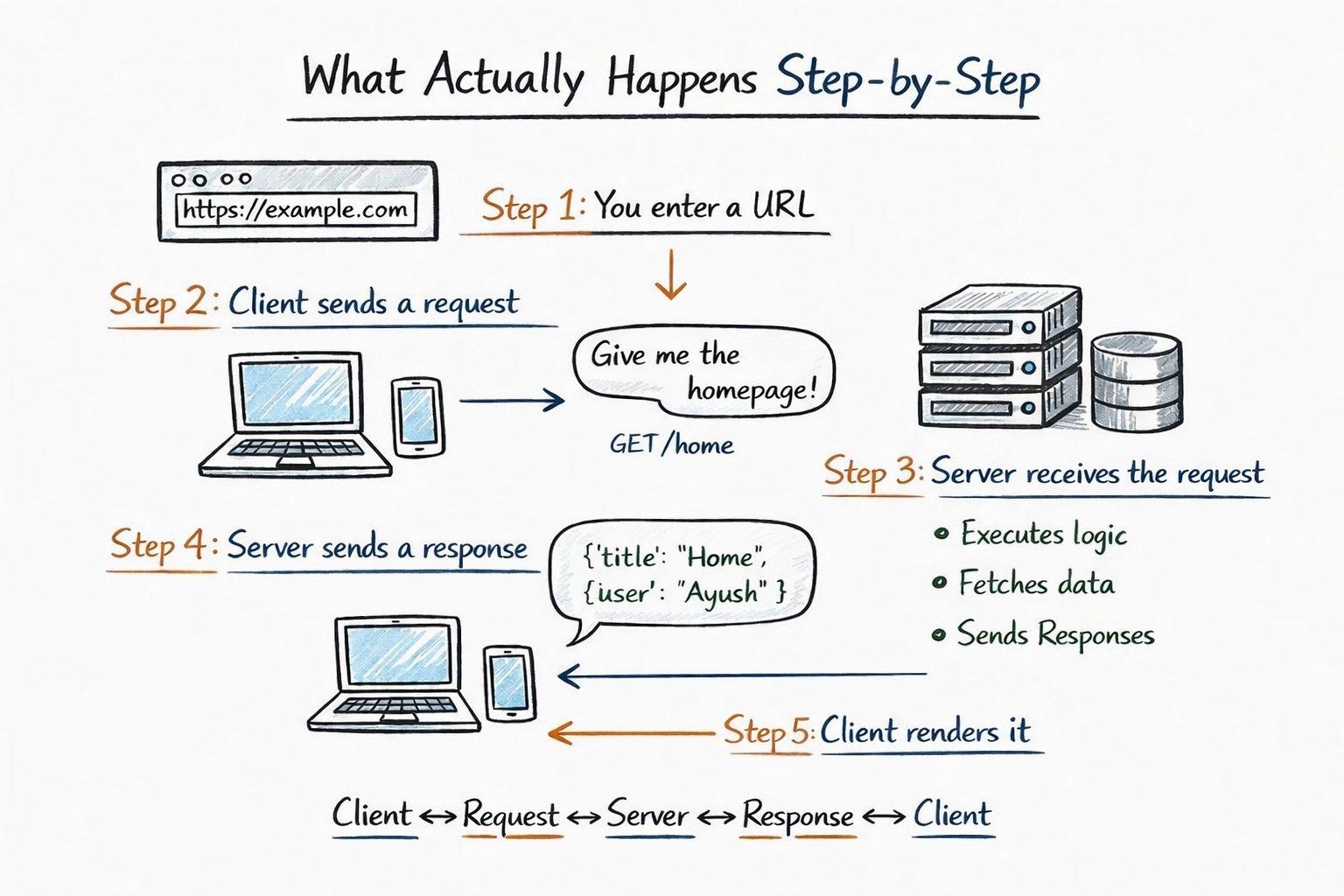
Step 1: You enter a URL
https://avenueticket.com
The browser decides:
"I need to ask a server for this"
Step 2: Client sends a request
This is not vague—it's a structured message.
Example (simplified):
GET /home
This means give me the home page
Step 3: Server receives the request
Now the server:
- Parses the request
- Runs logic
- Fetches data (maybe from a database)
Step 4: Server sends a response
Example:
{
  "title": "Home",
  "user": "Ayush"
}
Step 5: Client renders it
- Converts response into UI
- Displays it to the user
Key Understanding
The browser is not "loading a website"
It is requesting data and rendering it
4. The Real Backbone: Request → Response
At its core, everything reduces to:
Client sends a request → Server sends a response
Request Contains:
- What you want (URL/endpoint)
- Method (GET, POST, etc.)
- Optional data
Response Contains:
- Data
- Status (success/error)
💡 Insight
This is just input → processing → output, but happening across machines
5. How Do They Understand Each Other?
Client and server are independent systems.
So how do they communicate correctly?
Through a Protocol
On the web, this is:
- HTTP
What HTTP Defines:
- Format of requests
- Format of responses
- Rules of communication
💡 Insight
Without a protocol, client and server cannot form a system
6. Stateless Nature (Very Important)
Here's something subtle but critical:
The server does not remember you by default
Meaning:
Each request is treated independently:
- Request 1 → processed
- Request 2 → processed separately
Why?
Because:
- Simpler design
- Easier scaling
- Better reliability
Then how do we stay "logged in"?
Using:
- Cookies
- Tokens
💡 Insight
State is not built-in—it is layered on top
7. Why This Architecture Works So Well
Client-server became the standard because it solves real problems.
1. Clear Responsibility Split
- UI vs Logic
2. Centralised Data
- Single source of truth
3. Scalability
- Add more servers
4. Flexibility
- Same server → web + mobile
💡 Insight
It's not just about communication—it's about control and structure
8. How This Evolves (But Doesn't Change)
Even modern systems still follow this pattern:
Traditional Web
- Server sends full HTML
Modern Web (SPA)
- Server sends data
- Client renders UI
Microservices
- Many servers instead of one
💡 Insight
The architecture stays the same
Only the distribution of responsibilities changes
9. Final Mental Model
A system is:
- Components → Client, Server
- Interaction → Request, Response
- Purpose → Deliver functionality
So:
Client–Server Architecture = A system where components communicate over a network to complete a flow
Final Thought
If you understand this properly, you'll stop thinking in terms of:
- Frontend
- Backend
- APIs
And start thinking:
Who is asking? What are they asking? Who is responsible for answering?
What Comes Next
Now one important question remains:
When the client sends a request… how does it know where the server is?
That leads to: DNS & How the Internet Finds Servers
Bonus
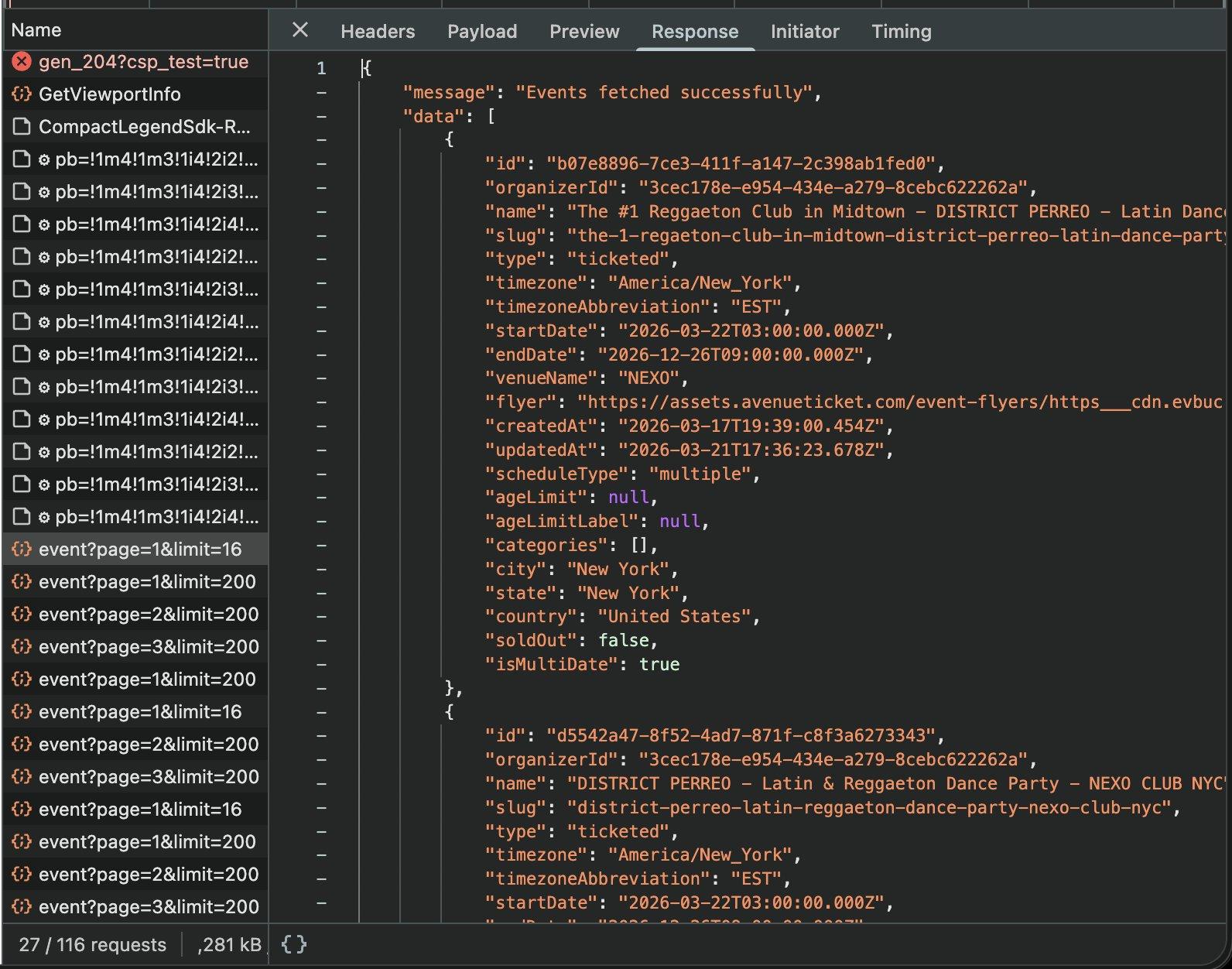
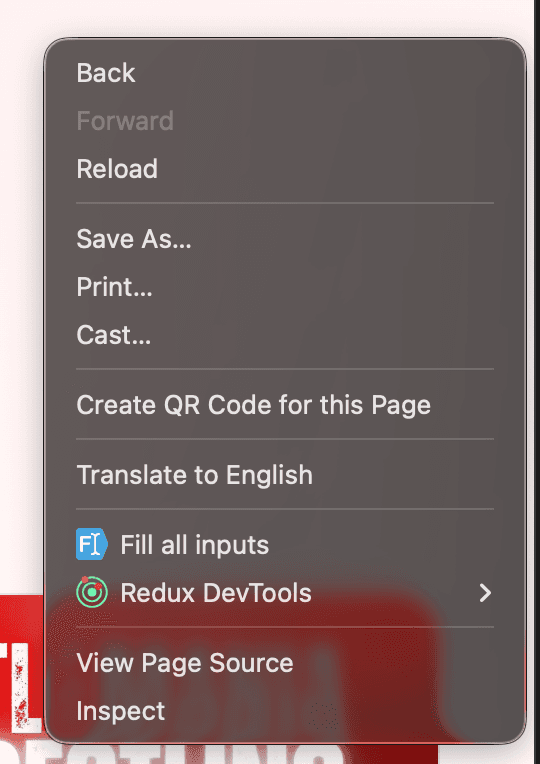
If you want to check the request and response cycle of any website, you can right-click on that website and click on Inspect
Click on the network and filter using Fetch/XHR
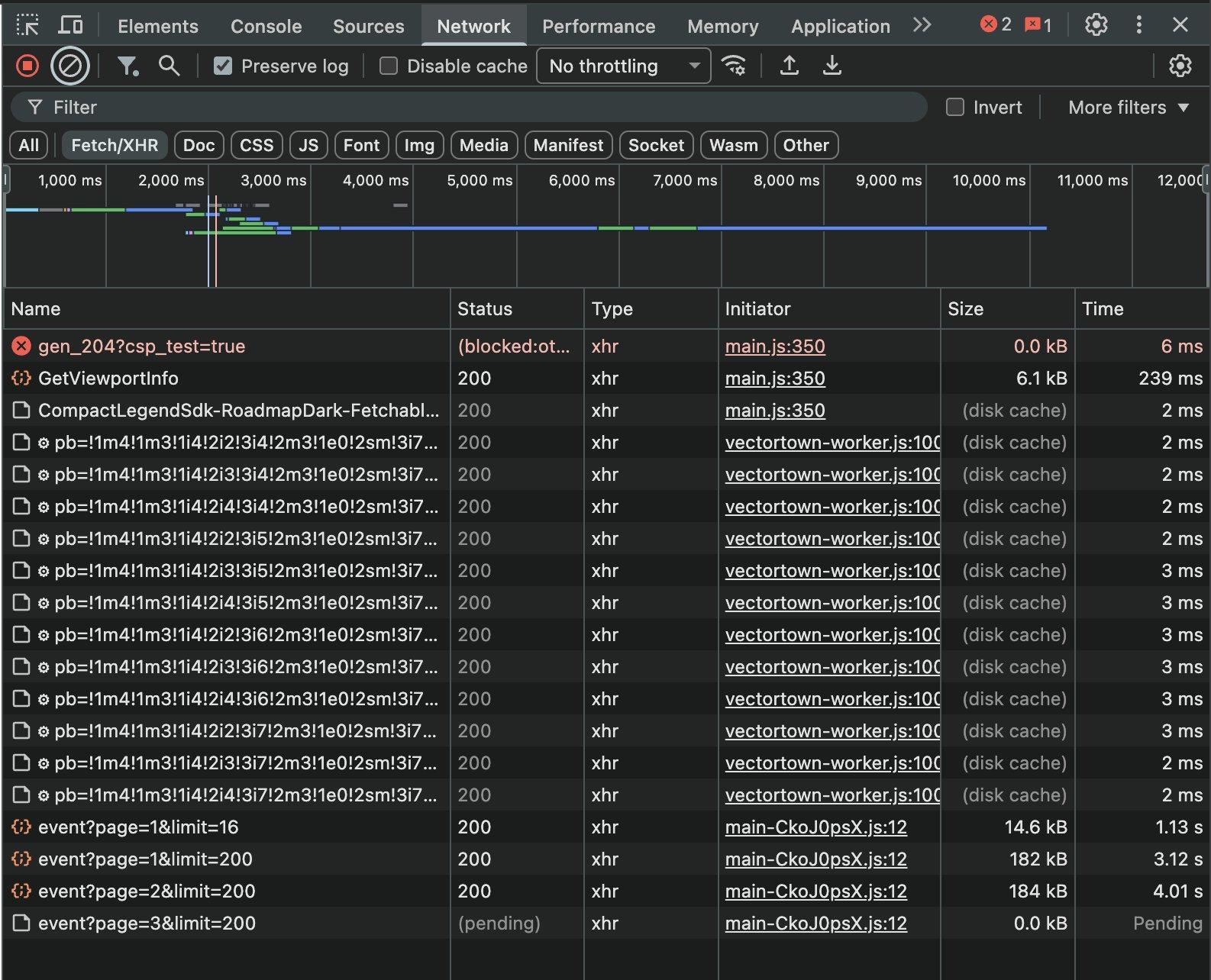
These are all the requests that your browser is sending to backend server
Now, when you click on any request, you'll see details like Request URL, Request Method, Status Code, etc. I'll cover what all this means in my next article, so stay tuned for that.
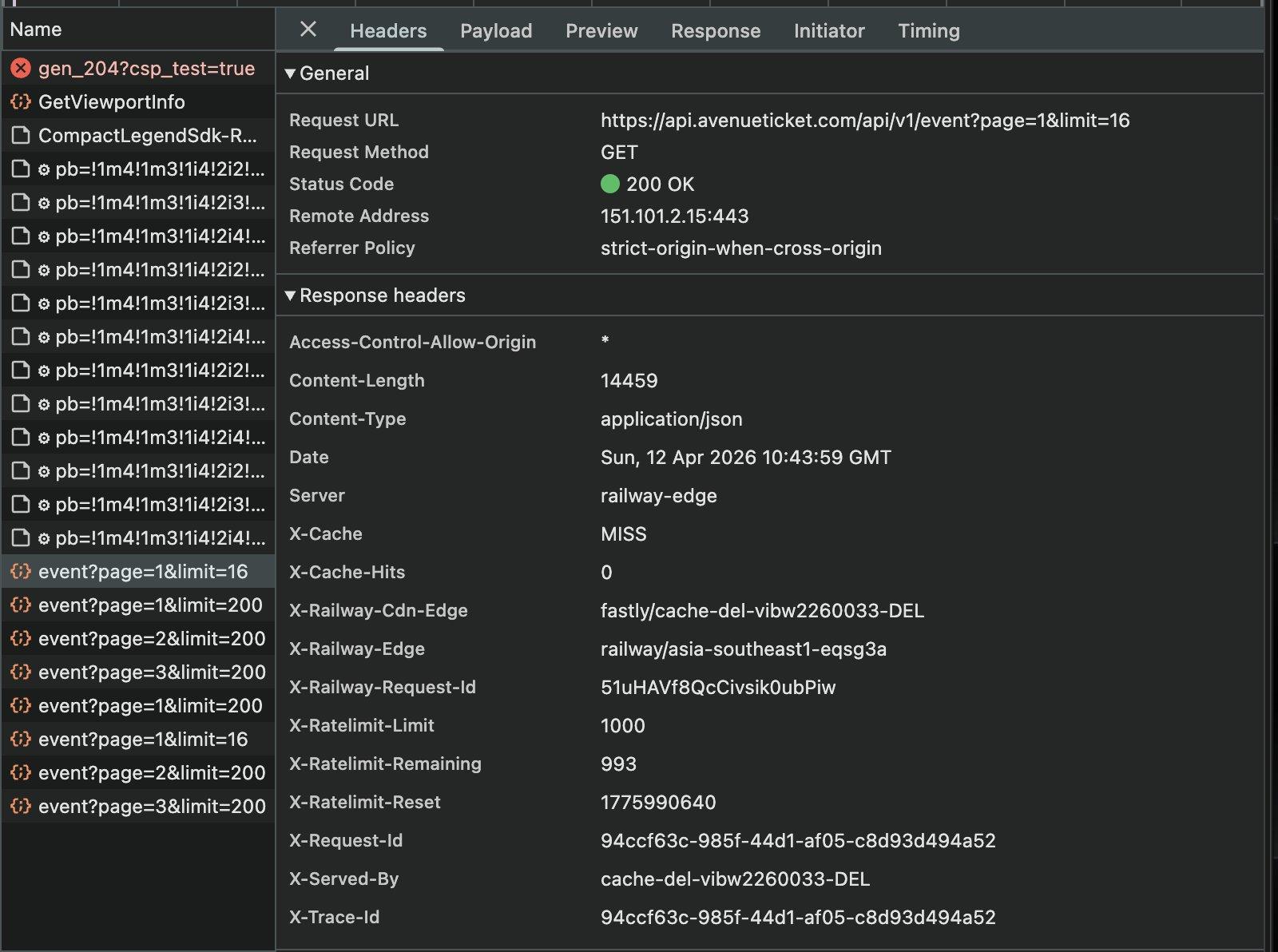
Now this is a request, and if you want to see what response the server sent, you can click on the Response tab